
Clear roles
Guide eligibility is determined by verified identity and agency assignment, not by signing into a personal account or selecting a role on screen.
Designed for on-site guiding by agencies
Create a clear usage plan from tour assignment and device preparation to traveler joining guidance. The Tour Companion product website does not operate the agency console or read or write tour data.
TOUR COMPANION / For Agencies
Guide eligibility is determined by verified identity and agency assignment, not by signing into a personal account or selecting a role on screen.
Prepare Tour Companion according to active assignments and use the corresponding Tour No./WiFi. Traveler joining QR codes are provided by eligible guides.
Send installation and device requirements before departure, provide the correct QR on site, and let travelers know the order of scanning, connecting, joining, and listening.
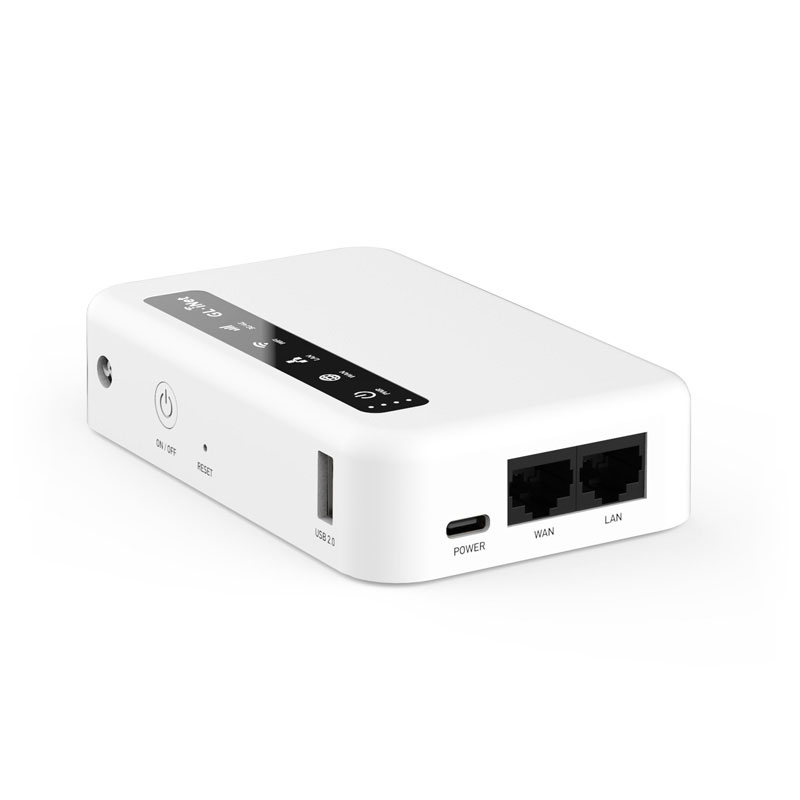
This is deployment-planning guidance, not evidence of completed formal product validation.
Arrange active Guide activation/account eligibility and the required tour assignments. If there is no active assignment, the agency should resolve it; do not substitute demonstration data.
Confirm the XE300, power, installed App version, Android permissions, and network arrangements for first-time activation.
Use the guide’s device and another traveler’s physical device to confirm joining and audible sound in the intended WiFi environment, distance, and setting.
Explain phone requirements, the correct Live Guide QR, and the no-Internet notice; assign on-site staff to help travelers who are unfamiliar with the process.
Obtain the applicable App and device arrangements through the responsible agency or product team. Official materials provide no public download link, pricing, or contact form; this version does not invent download, quotation, or submission features.