
Guide tutorial
Prepare the device. Start your commentary.
From confirming your identity to ending this commentary, follow eight steps to understand the process. Complete pre-departure preparation first, then continue on site according to the App’s actual status.
Before you begin
- 01Install the applicable App, and have an active Guide activation arrangement from the agency or an eligible account arrangement.
- 02Have an active tour assignment, an XE300 device, and the network required for first-time verification/activation.
- 03Prepare the relevant Android WiFi, camera, and microphone permissions, and arrange another traveler’s physical device for testing.
Actual screenshots of successful Guide sign-in, tour selection, activation, and commentary are not yet available. The steps below follow official documentation and are not successful tests from this occasion.
Step 1 / 8
Confirm your Guide identity first
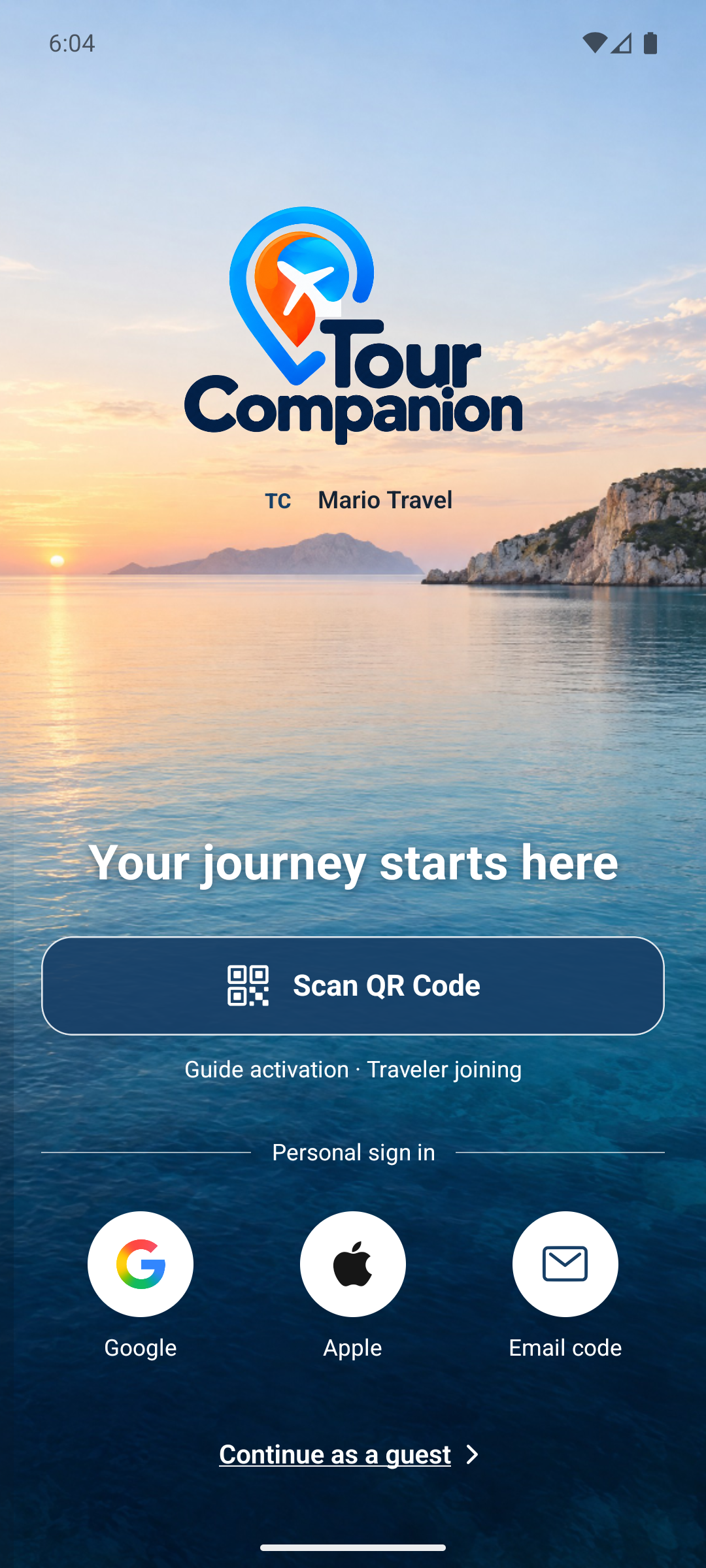
On the welcome screen, you can scan the Guide activation QR provided by your agency, or sign in through your arranged personal-account verification path. First-time Guide QR activation requires a valid, unused, unexpired QR and online verification.
The most important point in this step
Personal sign-in does not equal Guide eligibility. If you are eligible with more than one agency, choose “Choose your agency”. Do not give travelers your Guide activation QR.
This is a website tutorial. It does not scan QR codes, connect to WiFi, or transmit audio. Follow the App and your phone’s actual status.
View the original App images
Localized original emulator screenshots are entry/status references only, not evidence that this step was completed.